Late to the Party, but Isn’t Luna Display — Which Turns Your iPad into a Second Screen — More Useful Than Apple’s Own?
Hi to everyone who doesn’t really need multiple monitors but thinks they look cool — I’m Hide, tech journalist and part-time house-husband.
“Oh yeah, this was a thing,” I remembered. Luna Display. A gadget that turns your iPad into a second monitor for your Mac. I used it for a while back when it was super handy, but I’d forgotten about it since Apple added a feature called Sidecar.
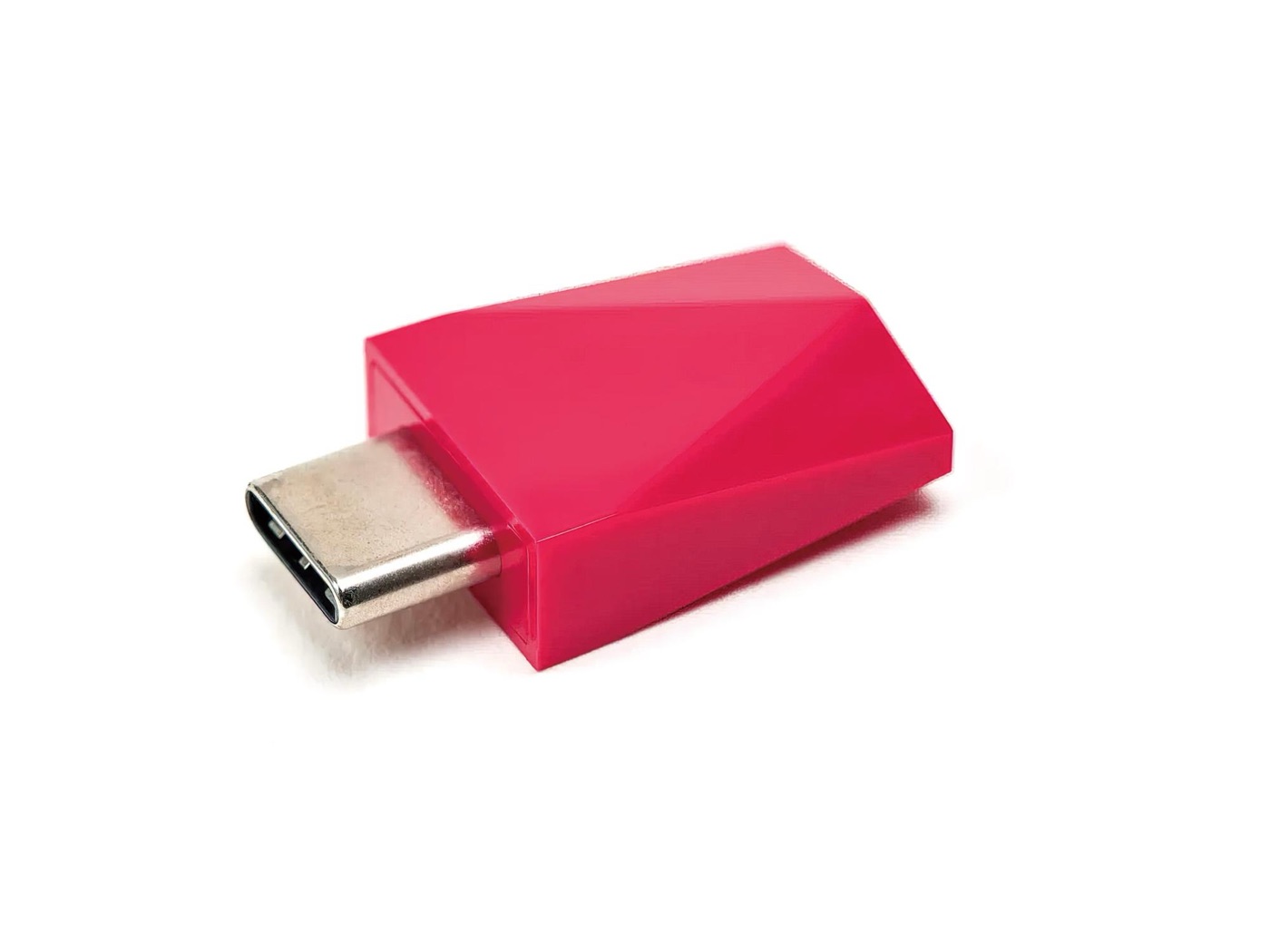
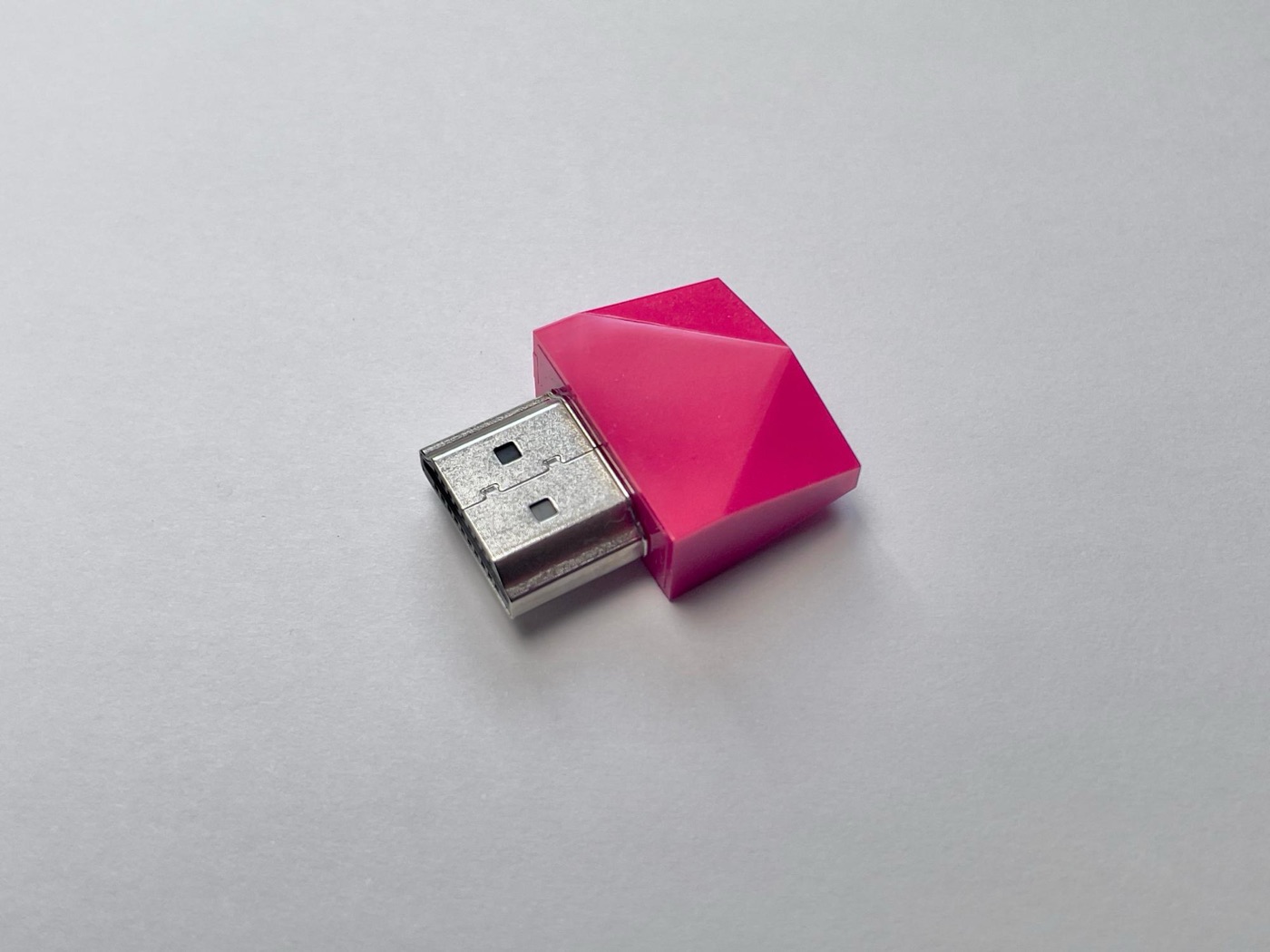
Plug it into your Mac’s USB-C port and the iPad app recognizes it and becomes a second display
## I almost said “Sidecar is unbeatable!”
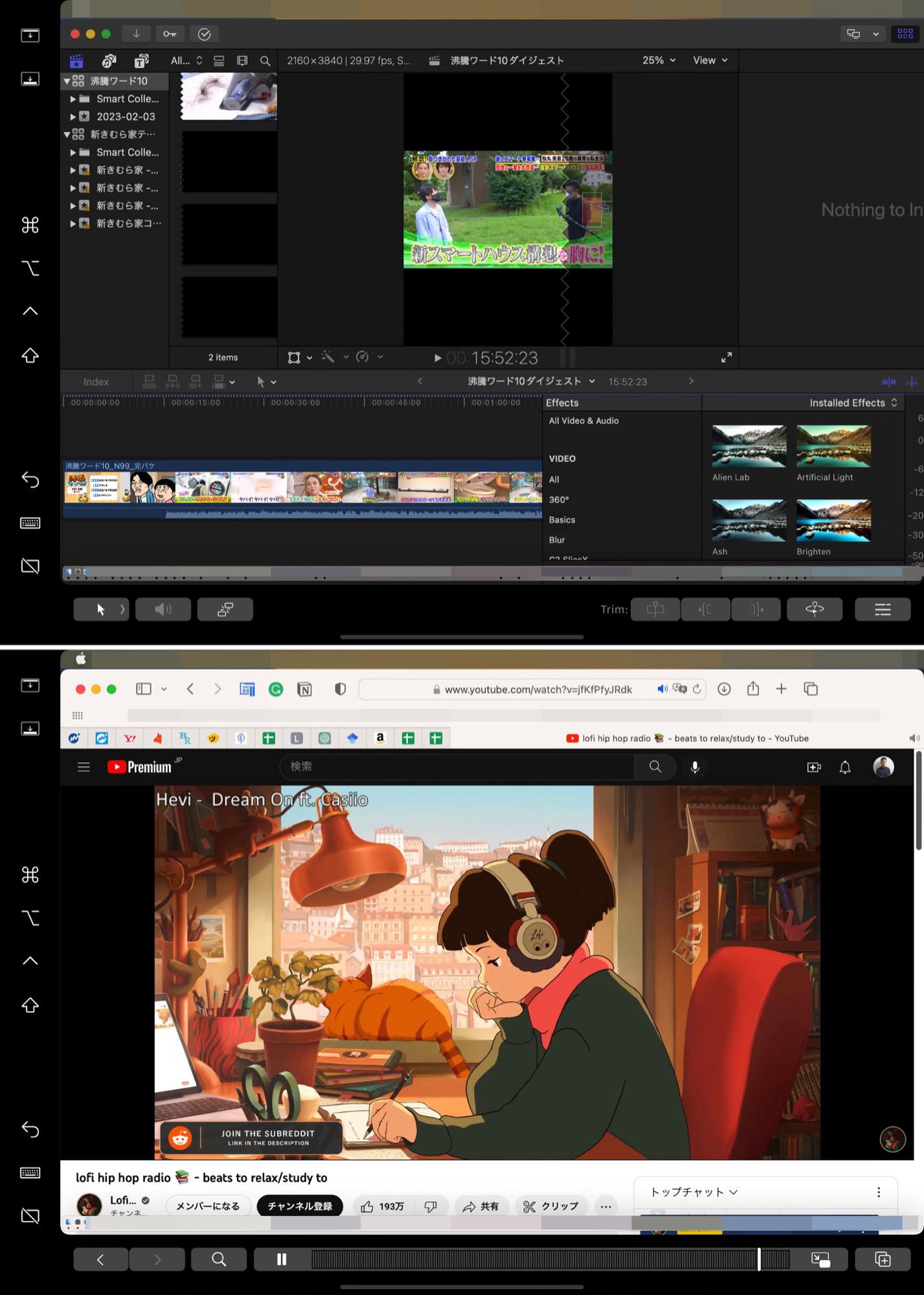
Sidecar is amazing. Even though it connects to the iPad wirelessly, YouTube plays without any stutter at all. You can show a Touch Bar at the bottom, which displays tools that speed things up in each app.
In Final Cut Pro X it shows editing tools, with video it shows a control bar — the Touch Bar buttons change by app
I’d love to say “Sidecar is perfect! Nothing to complain about!” — but it actually has a fatal flaw. **You can’t use touch unless it’s with an Apple Pencil**...
That’s a real pain. It’s fine when you’re using just the iPad, but when you have a keyboard connected, you have to keep putting down the Apple Pencil. With Luna Display, you can use your iPad as a second display without that weakness getting in the way.
Pair it with Astropad and it becomes a customizable touchpad
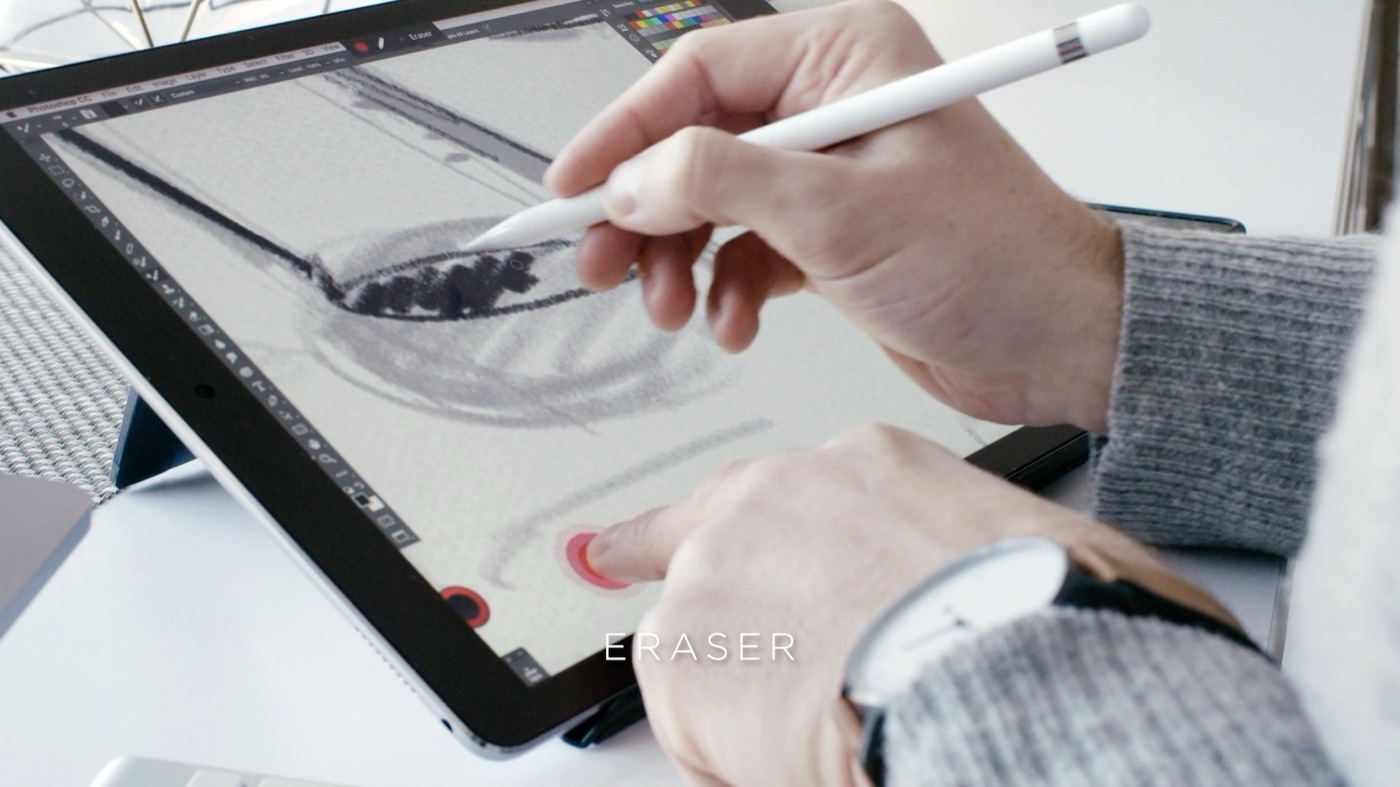
The biggest feature I thought made it better than Sidecar is that it works with Astropad. With Astropad, you can switch tools with your left hand while drawing with your right. As far as I know, other pen displays can’t do this. It’s a super handy feature.
With Astropad + iPad, you can do things like have it act as an eraser only while your left hand is pressing
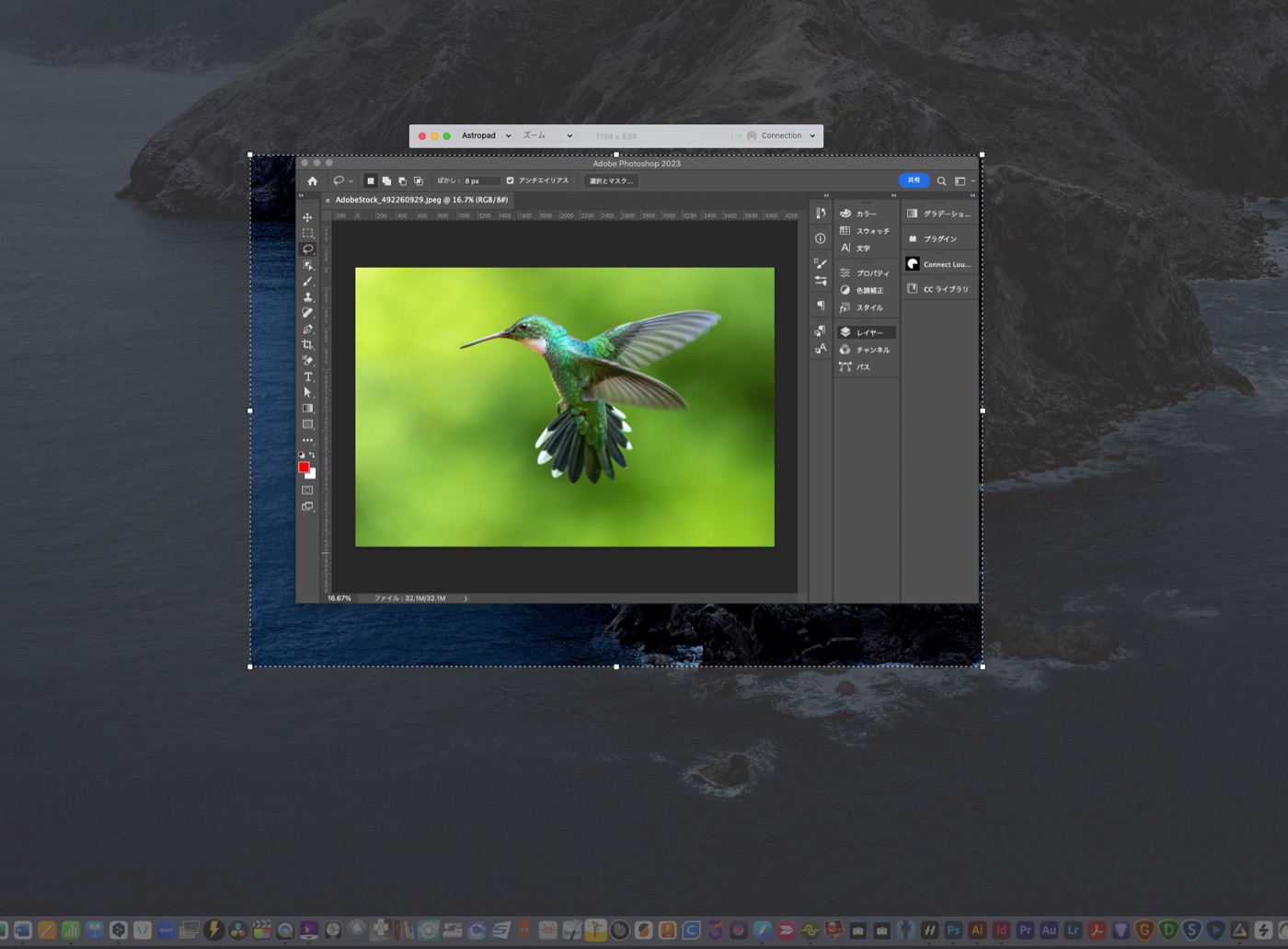
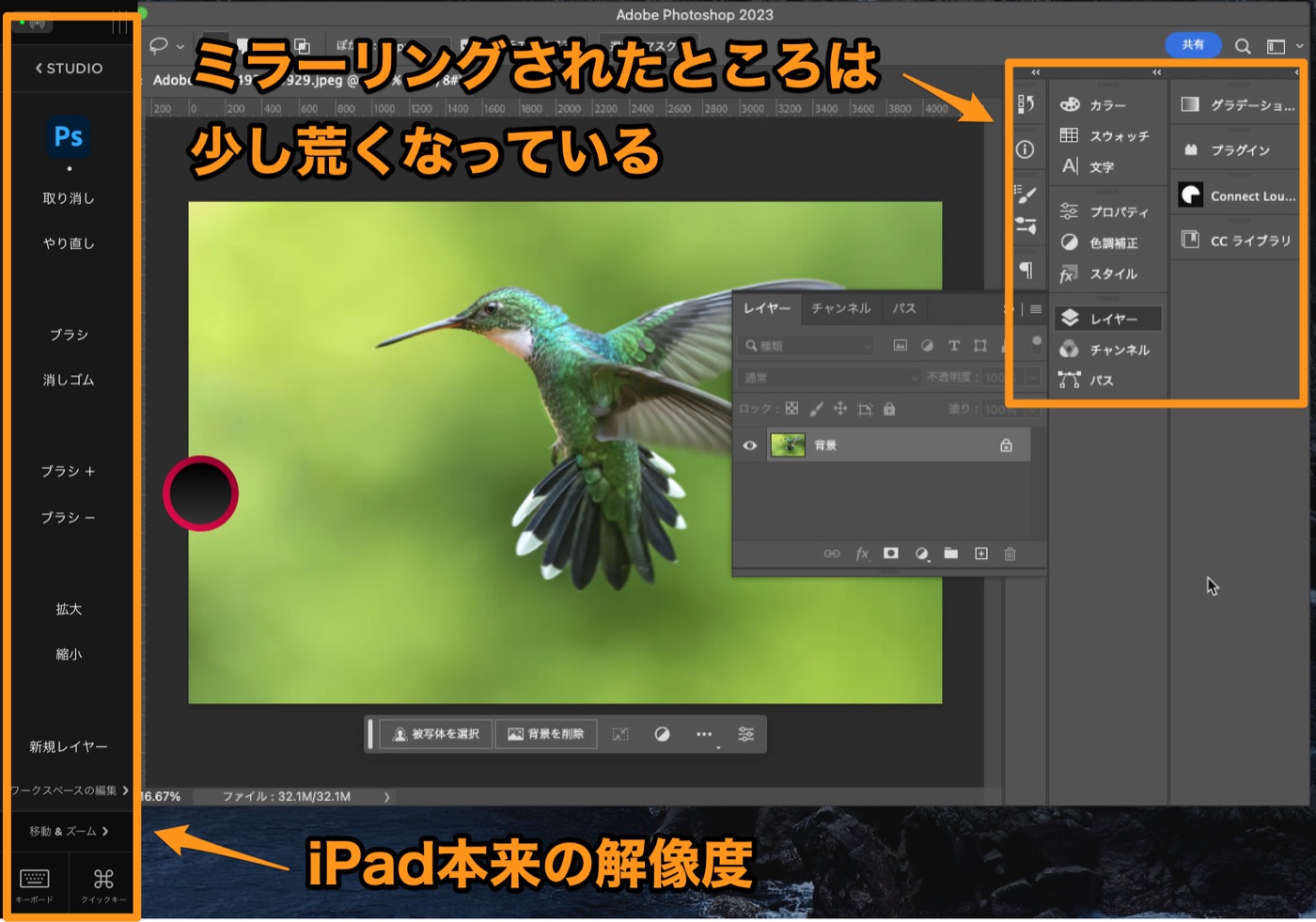
But with just the Astropad app, you can only show part of your desktop. It mirrors only the area inside a dotted box, and the display on the iPad gets a bit rough too. Luna Display fixes that downside.
You can go full screen, but with a high-resolution display, you basically end up cropping a sectionEven on an iPad with a Retina display (4K-class resolution), Astropad alone looks rough
Plug Luna Display into your Mac and launch Astropad, and the iPad becomes a full second display, so apps show at 4K resolution. Now I can work at full resolution while keeping all of Astropad’s convenience.
There are 4K pen displays these days, but they can’t show a per-app shortcut bar (left side of the photo). If you own an iPad and want to do pen-tablet work, right now the best option is buying Luna Display (¥19,800) and subscribing to Astropad (¥1,980/month). You can build the ultimate pen-tablet setup.
You can turn an iPad into a second display from Windows, too
Using the iPad from Windows is something Apple’s own Sidecar can never copy. If you create on a Windows machine as your main computer, you can use your iPad as a pen tablet too.
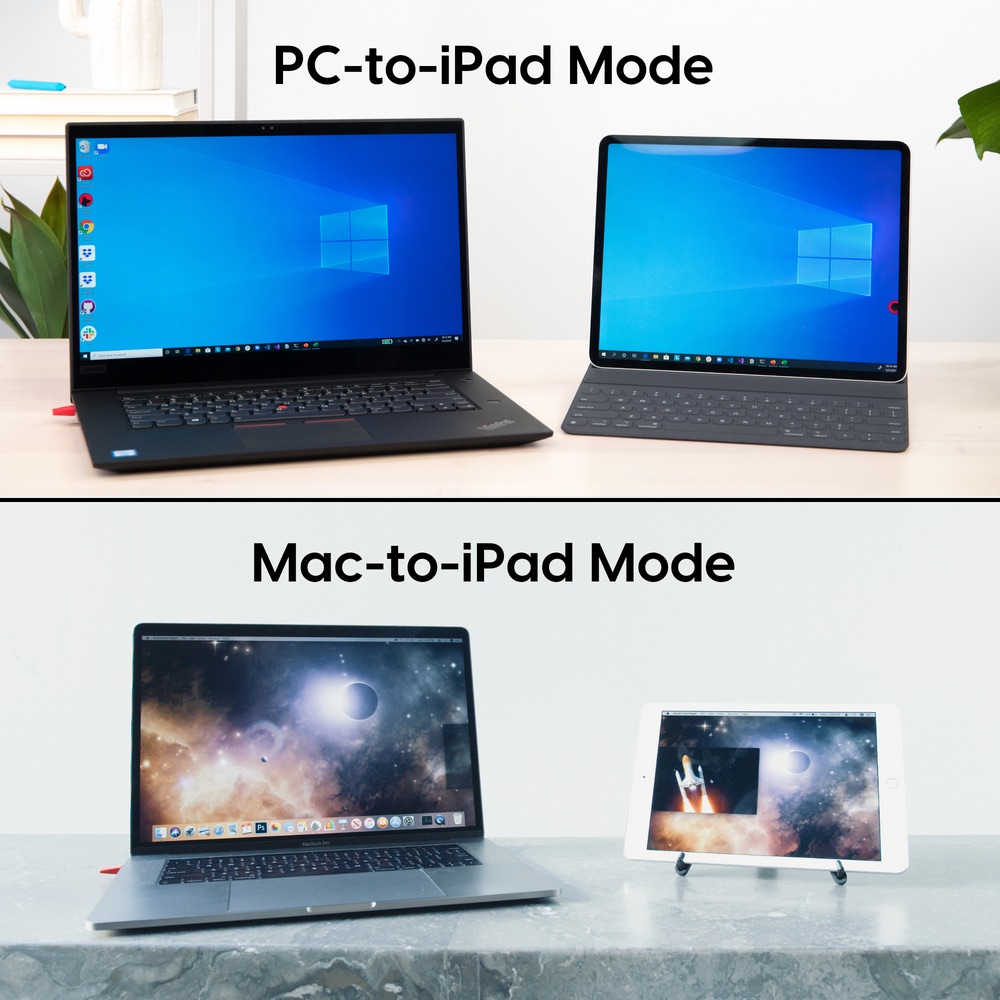
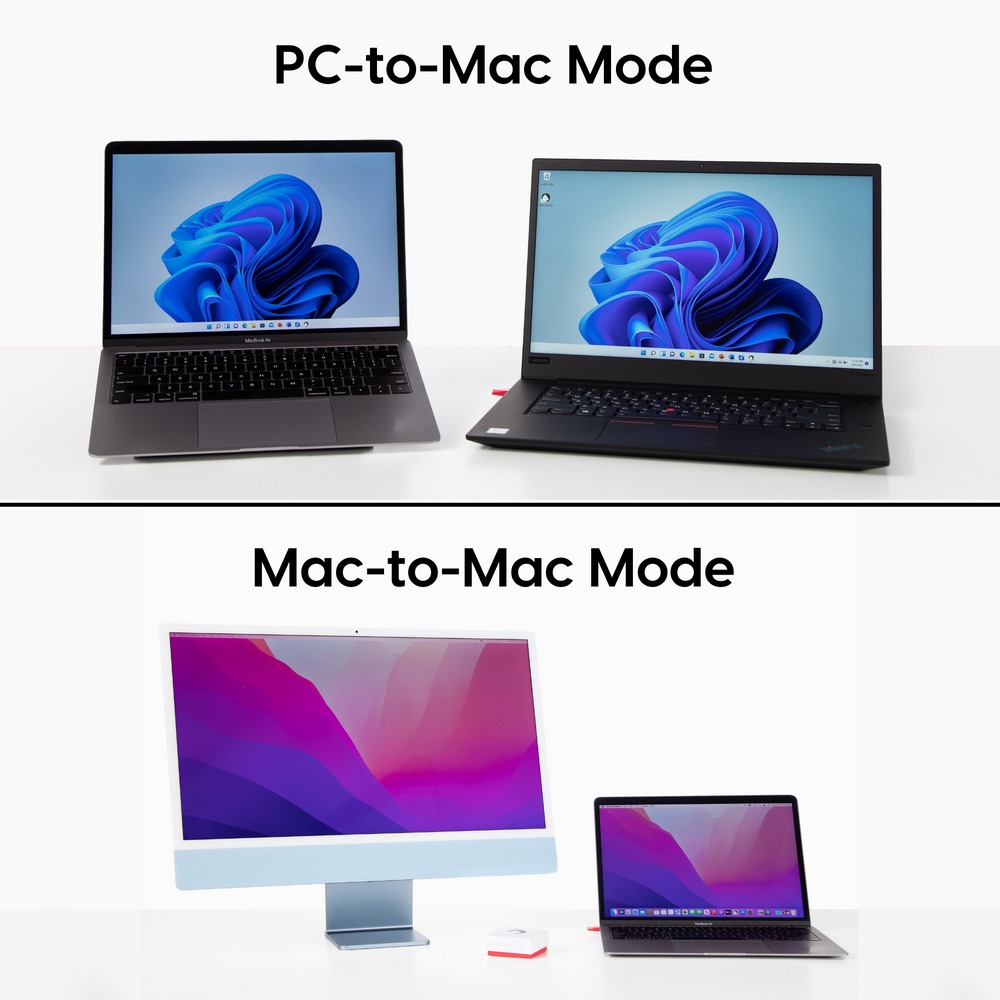
Mirroring from a Mac to an iPad, of course — and from a Windows machine to an iPad, too
Seeing a Windows screen on an iPad feels fresh. Plenty of people probably use a Mac at home and own an iPad, but have a PC at work. If you have Luna Display, you can turn your iPad into a second display and use it in client meetings.
For Windows machines, there’s an HDMI version besides USB-C. Handy to share your screen through the HDMI port you never use
It’s just a second display, so there are no security issues, and it’s handy for giving a full-screen presentation facing the client. Luna Display is a little pricey, so maybe pitch your company on how useful it is and get them to buy you one (lol).
Your spare Mac becomes your newest Mac
Bring an old Mac back to life… you can use it that way too. Luna Display supports Mac-to-Mac connections, so you can use a pretty old Mac as a second display for your new one.
You can even pull off the wild move of using a Mac as a second display for a PC...
What’s amazing is that **you can use both trackpads and keyboards**. So you can leave the old Mac connected via Luna Display in the living room, and when you’re tired of working at your desk, move your work apps to the second display and work from the couch.
The computer actually running everything is still your newest Mac. But you can use the old one’s keyboard and trackpad, so it feels like you’ve got two of your newest Mac.
Being able to do that for ¥19,800 starts to feel kind of cheap.
The oddball: prompter mode
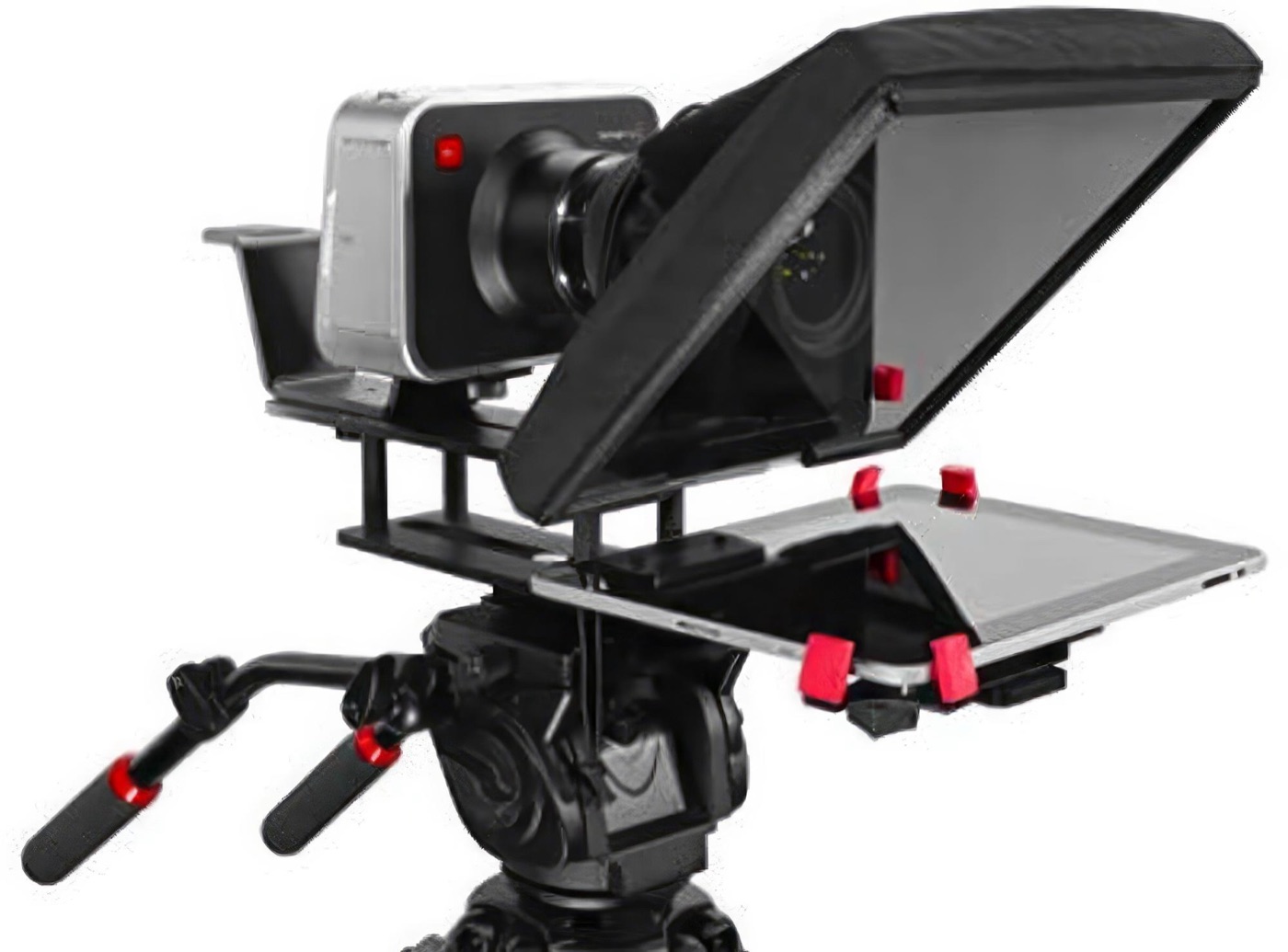
A prompter mode was actually added in an update. It flips the screen for use as a teleprompter, and you can use it for remote meetings too.
You need separate hardware with a half mirror, but if you put it in front of your camera when filming product videos, you can read your script while looking straight into the camera. In remote meetings, you can show the other person’s face there, so you can look at them while also making eye contact through the camera.
A setup like this is useful for video work
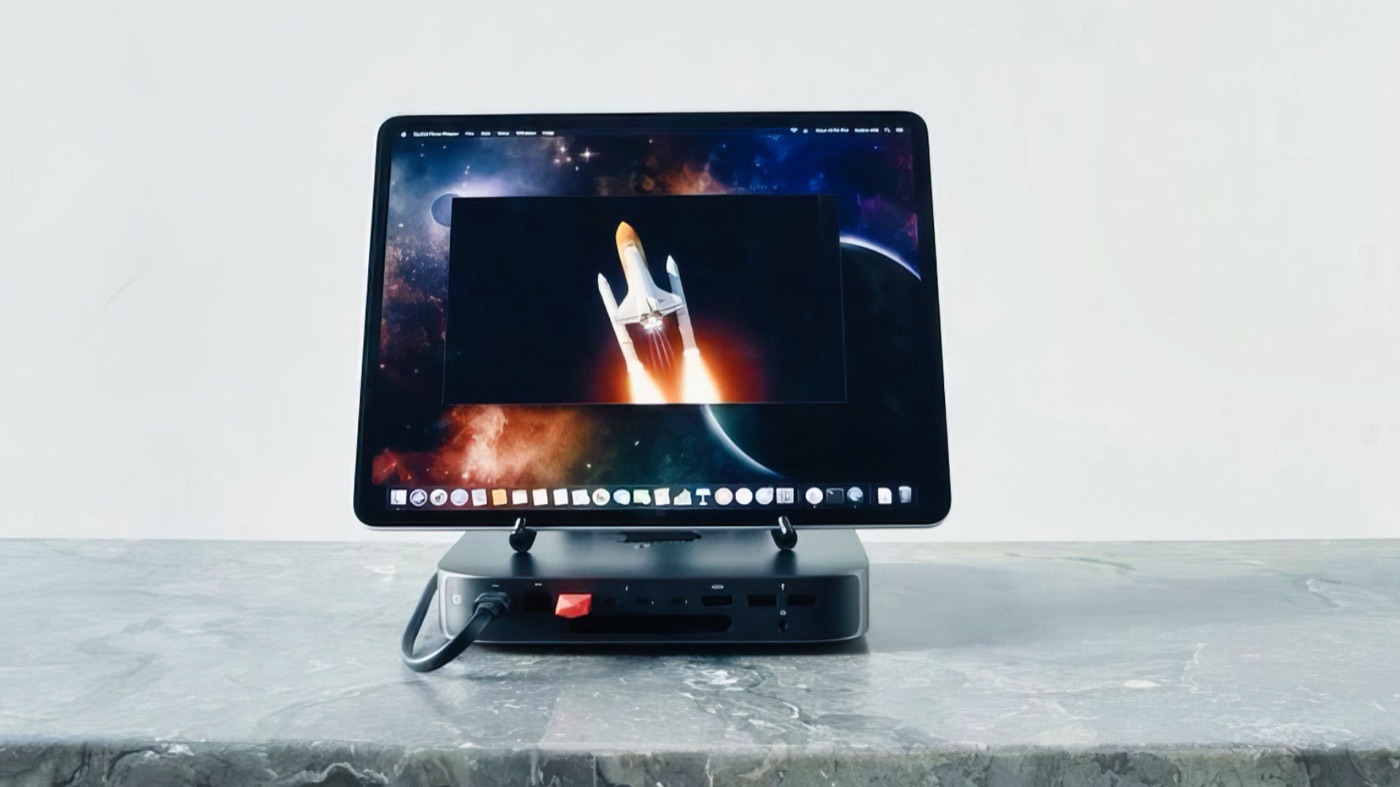
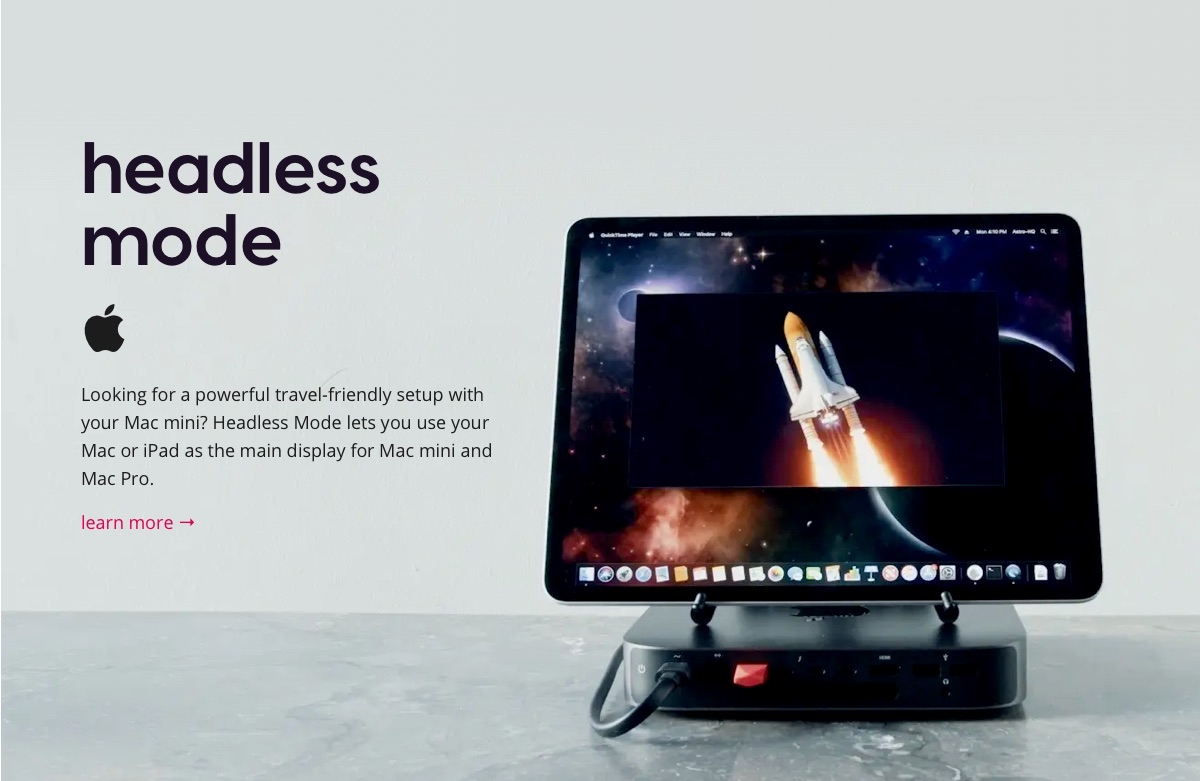
There’s also a headless mode that lets you use it as a monitor for a Mac mini or Mac Studio. You need some setup, like turning off FileVault, but once it’s set, just waking the Mac shows the screen on your iPad — no need to carry an external display.
The Mac mini and Mac Studio have desktop-class power, so I’d want to bring one if I’m working at a hotel on a business trip
For working at a hotel on a business trip, Mac mini or Mac Studio + iPad is really handy. Less to carry, and you could probably edit video smoothly with a setup as good as home.
It doesn’t lose to Sidecar at all
I sort of figured it was just a gadget for making a second display, but not at all. If it can do this much, it’s worth the investment depending on what you need.
I especially liked Mac-to-Mac mode, since you can use one computer’s processing power in different places. With remote desktop, shortcuts and stuff can be kind of awkward to use.
I think I get why it’s still selling.